Wednesday, December 13, 2006

Linux on a Compaq Contura Aero!


Left: HP 200LX

There have been many greats in the palmtop/subnotebook/ultralight world. The Toshiba Libretto, with its videocassette footprint, was one. The HP 200LX was another, with its extensive DOS compatibility and twenty-plus hour lifespan on two double AA batteries. The IBM Thinkpad X series, with their tiny size yet superior power, and, of course, OpenBSD compatibility, as the machines most compatible with this
operating system, was another. The svelte NEC Ultralite, the first of the "notebooks", also was one, as it was on the first of these tiny laptops. However, like the NEC, one of the first "notebooks," perhaps on of the first inexpensive, color, Windows ones, was the Compaq Contura Aero. Though a 25-33 MHz 486 :P, the Aero is very thin and light for a notebook. It has a teeny VGA screen that is usually color but may be grayscale. And, even better, it will run Linux! Slackware, Debian, and (early?) versions of RedHat, apparently. Also early versions of NetBSD (1.5.2, etc.) may work. I don't know exactly what the compatibility is, but I think NetBSD would likely run it. Here are some sites with more information:

http://www.alvestrand.no/linux/aero-faq.html#TOC

FAQ on Aero Linux (Slackware)

http://hamsterrepublic.com/james/linux/contura-aero.php

More stuff on installing Linux (Debian) on the Aero. Also some basic facts on the Contura Aero.
Here is a picture from the site comparing a Thinkpad 600, JetBook, and a Contura Aero:


http://www.xmission.com/~bgeer/laptop_aero.html
An experience of installing RedHat on an Aero.


The Return

I'll begin intensely (hopefully) blogging again tommorrow. I have gotten through four exams at school and have one to go, in Geometry. Things are going well, and I still working with my NetBSD machine. I think I may upgrade it 3.0.1. I am also continuing to use gcc. I also may get a Toshiba Libretto or HP 200LX for Christmas, so I will tell you about that if I get it. As for Harry, he is doing well, and, in fact, has installed iPodlinux on his 5G iPod. He is happily playing DOOM on it today. I still use SDF, although I have started to use it more recently. In fact, I am logged in as guofu right now. Overall, everything is well. I look forward to more posting. Maybe Harry will talk a little bit about his iPod, too.

xatapu

Thursday, December 07, 2006

Notice

I am so sorry for not updating the blog in so long. But I will be able to soon. Unfortunately over the next week and a half, I will have to prepare for and take final semester exams at school. This will hamper my blogging and Harry's. I will have a couple of articles today, but probably not many until winter break. Just remember this when you see little updating on the blog. Hopefully I will find sometime later to keep posting.

Sincerely,
xatapu

Monday, November 27, 2006

Update

Sorry I never updated the blog last week. I was gone in Chicago, where it costs 10 dollars per IP address you visit with a hotel's ethernet connection ;) . So I couldn't update the blog there. I will cover what I wanted to last week and also will find some photos, finally, to put into a post. Expect fewer posts in the next three weeks because of final semester exams.

Regards,
xatapu

Sunday, November 19, 2006

The 7th Edition, Updates

I am sorry that I haven't updated the blog for so long. I have been very sick with a high fever. I am getting over it now, fortunately. I will continue to work on it this week, hopefully on the road as well as I will be in Chicago for the rest of the week on a trip. I will go back to what I was posting about and will probably include more images. Harry pointed that out last Tuesday. Next, I will begin the 7th edition of the blog on Sundays instead of Wednesdays to align writing it with my schedule and make it more convenient to look through the archives. Wow. More than a month of posting :)

Saturday, November 18, 2006

The 100th Post....finally!

Finally, after a month of writing, I have hit 100 posts. I remember when I hit 20 posts sometime ago. I have covered C to commands to ports and even to desktop environments. I am also glad that I have had such a great coauthor as Harry is to contribute to the blog as well. He has added numerous useful reviews and bits of information. Insmod, still, however, has not added a single post since he joined me. I look forward to more writing and learning and (with hope) more development of my Unix skills. Maybe some inetd, httpd, and dhclient experiences in the future.................

xatapu

The df command

Do you want to see how much stupid space you have chucked full of lard since you first partitioned your hard drive? Do you not like stat's strange responses? Then use the df command. Short for disk-free, this command shows how large your Unix partition is and how much space is left within it. This is one of the simplest Unix commands.

Tuesday, November 14, 2006

Cool UBUNTU Image

Haha, I feel like I'm becoming the multimedia person for this blog...

Well here is a cool ubuntu picture/poster thing I found on the 'net.

Very nice!


-Harry

Another new blog......

Today I will be founding a new blog about my Palm III. It will be update once a week at most. I look forward to writing it. When I have created it and started posting on it I will add its address to the sidebar or in a post. I will still keep updating this blog, though............

Distributions

Also over the next month I will talk about distributions. I have only talked about Knoppix and NetBSD, generally, but soon I will talk about others. The first I plan to discuss is Debian, which I believe I will today, if not tommorrow. I will also describe other types of Unix and Linux. Among these will be FreeBSD, OpenBSD, and Ubuntu. I will likely get to use Xfce with Xubuntu soon. I also might try out FreeBSD and/or OpenBSD. Stay tuned for more details.

Command posts

For sometime I will be focusing on particular commands and utilities that can be used at the shell prompt. I have already began an article on mt, and plan to add ones on tcopy, rndctl, wsconsctl (I think that's the right spelling), df, gzip, cron, inetd, motd, rmail, etc. Mt and tcopy, specifically, are very interesting because they are tape drive commands. Anyway, posts on those commands and others will come up soon.

xatapu

Monday, November 13, 2006

Archives

If you are new to this blog, feel free to look through the archives. I have plenty of posts on every thing from Apple machines to vi to zsh (well, not yet zsh). Also please subscribe to the blog's feed. I think the one on the main page doesn't work, so go to http://feeds.feedburner.com/unixcomputing and subscribe there. I will also have that link up in the sidebar very soon.

Almost to the 100th post......

Wow. It has been more than four weeks since I began this blog. You may remember the time I put up the 20th post. Now I am reaching to one hundred. Probably by this Friday I will reach that goal. I am looking forward to it. So far I believe we have 91 posts.

Cool packages: bb

bb is a library for creating very advanced ASCII-based graphics. I learned this from insmod. I have also done a bit more research about it, and apparently looks like a demo of the AA library. AA is an "ASCII-art" library, and it is portable to many different platforms. I don't know much about it, so hopefully insmod will get a chance to put something up about it. For more information go to: http://aa-project.sourceforge.net/aalib/. This is the library's project page and has lots of info about it. It, of course, also provides a source download and describes the library.

News

Unfortunately, I wouldn't be able to post to the blog much this week. I will not have access to the Internet that often. I will try to continue next week.

Sunday, November 12, 2006

Edition 6

Yes, the sixth edition of the blog. I have now decided to start on Sundays instead of Wednesdays, so today is the first day of the new edition. I also plan to have even more output each week than before. Also there will be more "hands-on" use coverage as I have started getting more time to use my Gateway machine and am getting a very cheap modem to login to SDF with my Palm Pilot.

Friday, November 10, 2006

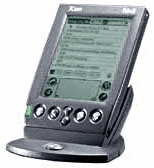
A few Palm Photos


Okay, these are not mine, but they are of a Palm III.


The mt command

As I told you earlier, just yesterday I discovered the mt command. I know mv, but mt? Well, I then did a man on it. Mt........what the...........magnetic tape control?! I don't believe this! I can control a tape drive from a PC! I can send commands to it! The last time I did this was with a really old Texas Instruments TI-99/4A. Hmmm......I might explore this........

Anyway, let's get back to mt. Its syntax is mt [ -f tapename ] command [ count ]. Command and count will be explained shortly. The tape selecting option is -f, which selects the raw tape device. I believe /dev/rmt is the /dev folder for this. There are also a number of operands for mt. Here are some of them from http://bama.ua.edu/cgi-bin/man-cgi?mt+1, a online copy of the UNIX man pages:

count - The number of times that the requested operation is to be performed. By default, mt performs command once. Multiple operations of command may be performed by specifying count.

command - Available commands that can be sent to a magnetic tape drive. Only as many characters as are required to uniquely identify a command need be specified.

eof, weof - Write count EOF marks at the current position on the tape.

fsf - Forward space over count EOF marks. The tape is positioned on the first block of the file.

fsr - Forward space count records.

bsf - Back space over count EOF marks. The tape is positioned on the beginning-of-tape side of the EOF mark.

bsr - Back space count records.

nbsf - Back space count files. The tape is positioned on the first block of the file. This is equivalent to count+1. bsf's followed by one fsf.

asf - Absolute space to count file number. This is equivalent to a rewind followed by a fsf count.

(the next section is from http://www.computerhope.com/unix/umt.htm)

If count is specified with any of the following commands, the count is ignored and the command is performed only once.

eom - Space to the end of recorded media on the tape. This is useful for appending files onto previously written tapes.

rewind - Rewind the tape.

offline, rewoffl - Rewind the tape and, if appropriate, take the drive unit off-line by unloading the tape. It cycles through all four tapes.

status - Print status information about the tape unit.

retension - Rewind the cartridge tape completely, then wind it forward to the end of the reel and back to beginning-of-tape to smooth out tape tension.

reserve - Allow the tape drive to remain reserved after closing the device. The drive must then be explicitly released.

release - Re-establish the default behavior of releasing at close.

forcereserve - Break the reservation of the tape drive held by another host and then reserve the tape drive. This command can be executed only with super-user privileges.

erase - Erase the entire tape. Erasing a tape may take a long time depending on the device and/or tape. Refer to the device specific manual for time details.

Good, but a bit complicated and technical, as far as explanations. I guess an example (for those of you with tape drives out there) might be:

mt erase - erase the tape in the drive found at /dev/rmt0.

mt -f $RMT_NR eof 1 - Mark the end of the tape.

Very cool. Again, these are just probable examples of mt.

For more info, you can go to that man page I mentioned earlier. Another good place for learning about tapes and Unix is http://www.washington.edu/computing/unix/tapes.html. Also you can go to http://www.computerhope.com/unix/umt.htm for more info on use and syntax. That link also provides a link to a page on tcopy, a command I will be discussing soon. Enjoy!

Explorations in /bin and /sbin

Well, after being bored at the # prompt for sometime, I decided to look through the /bin and /sbin folders and find out what some of the stuff in those places do. Well, hmmm....theres mt, rndctl, wsconsctl, echo, rmail, and lots of other stuff. Let's man mt...........WHAT? magnetic tape control? Cool.......Hey, maybe I'll describe mt in the next command post.

My Palm III

All is well so far with my Palm III. I am getting used to Graffiti, and now I have a few games, a Logo interpreter, a Scheme compiler, and a Tcl console on my Palm. Pretty weird, huh? The games are Palm's own HardBall and SubHunt. I especially like its great battery life. Just two AAAs for weeks. I will have a photo of it next week, along, hopefully, with the PC photos I keep forgetting. I also plan to add a modem to it and...............login to a Unix server! Yes, I can do that, too! Unfortunately, I can't install Linux on it. I just need one of those little plastic sheets to keep my Palm from getting scratched..........